The Customer Service Bottleneck
Your Instagram account gets 50 DMs overnight. Half are "What are your working hours?" and "Where are you located?" Your agents spend their first hour every morning answering the same questions: instead of handling real issues.
This is the problem auto-replies and macros solve.
Auto-Reply Rules: Your First Line of Defense
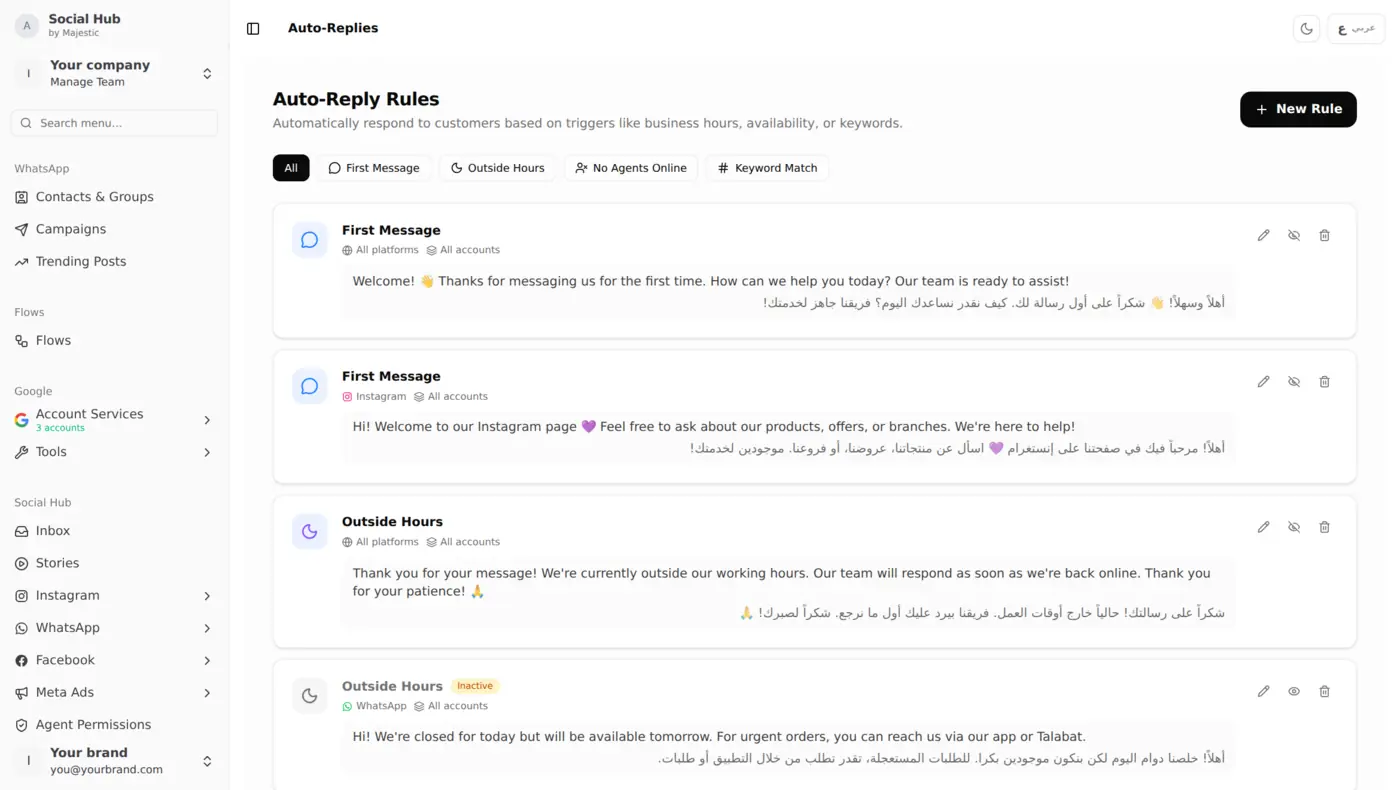
Social Hub lets you create rules that trigger automatic responses based on specific conditions. Here's what a real auto-reply setup looks like: bilingual rules covering first messages, outside hours, and keyword matches:
Rule Types
First Message When a customer messages you for the first time on any platform, send a welcome message automatically:
- "Welcome! 👋 Thanks for messaging us for the first time. How can we help you today? Our team is ready to assist!"
- Works on Instagram, Facebook, and WhatsApp simultaneously
Outside Hours When messages arrive outside your working hours, acknowledge them automatically:
- "Thank you for your message! We're currently outside our working hours. Our team will respond as we're back online. Thank you for your patience! 🙏"
- Reduces customer anxiety: they know you received their message
No Agents Online When all agents are away or offline:
- "Thanks for reaching out! All our agents are currently busy. We'll get back to you as soon as possible: usually within a few minutes."
- Prevents the "no response" frustration that loses customers
Keyword Match Trigger specific responses based on message content:
- Customer writes "price" → reply with a link to your price list
- Customer writes "menu" → reply with a link to your latest menu
- Customer writes "location" → send your Google Maps link
Why This Matters in Kuwait
Customers in Kuwait expect quick replies, and a slow response on Instagram can send a buyer to whoever answered first. Auto-replies bridge that gap: customers get an automatic acknowledgment while your team handles the real conversations.
Macros: Multi-Step Actions in One Click
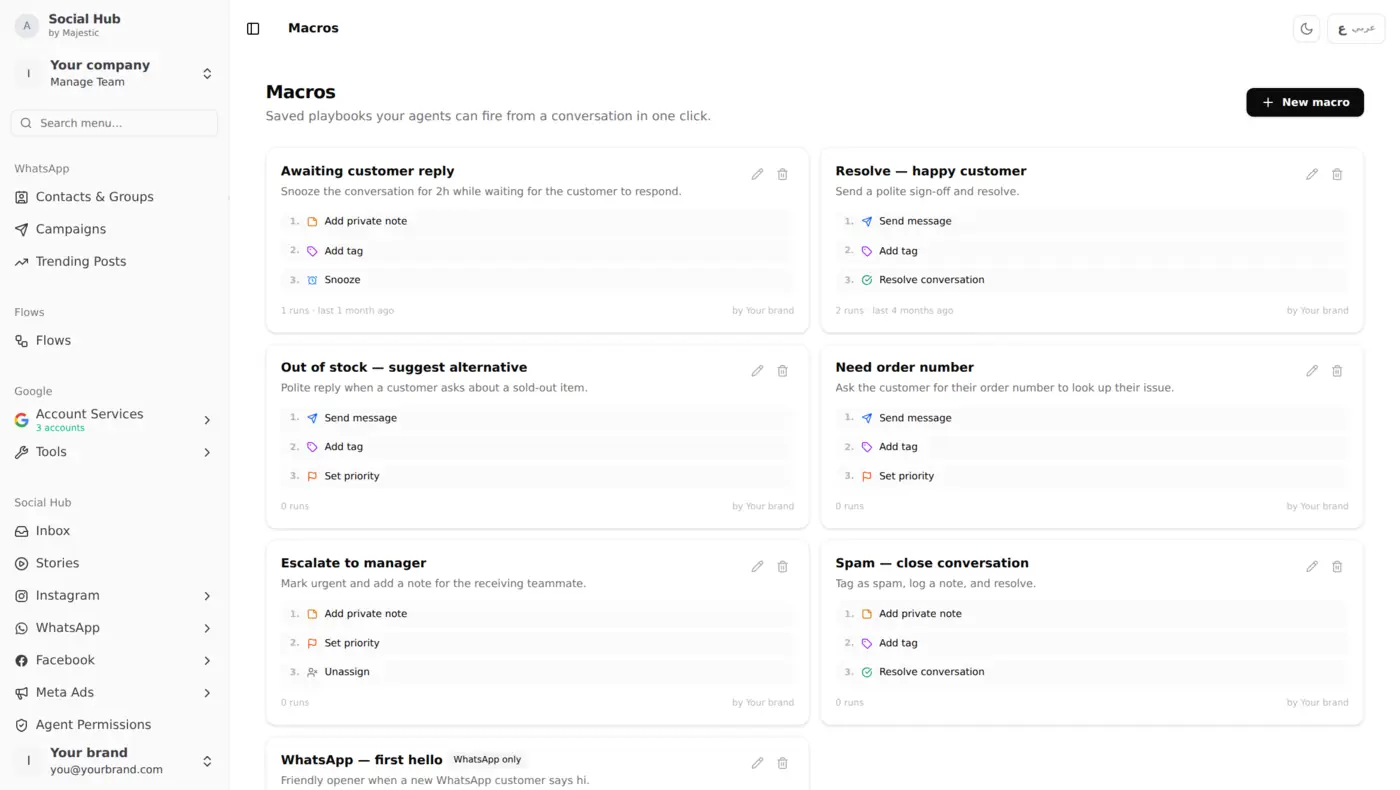
If auto-replies are for simple responses, macros are for complex workflows. A macro combines multiple actions that fire simultaneously:
Macro Examples
Resolve: Happy Customer One click does three things:
- Send a polite sign-off message
- Add "resolved" tag
- Close the conversation
Escalate to Manager One click does three things:
- Add private internal note for context
- Set priority to urgent
- Reassign to manager
Need Order Number One click does three things:
- Send "Can you share your order number?" message
- Add "needs-info" tag
- Set priority
Spam: Close Conversation One click does four things:
- Add private note logging spam
- Add "spam" tag
- Resolve conversation
- No response sent to spammer
Platform-Specific Macros
Create macros that only apply to specific platforms:
- "WhatsApp, First Hello" is only available in WhatsApp conversations
- "Instagram, Product Inquiry" only for Instagram DMs
Canned Responses: Template Library
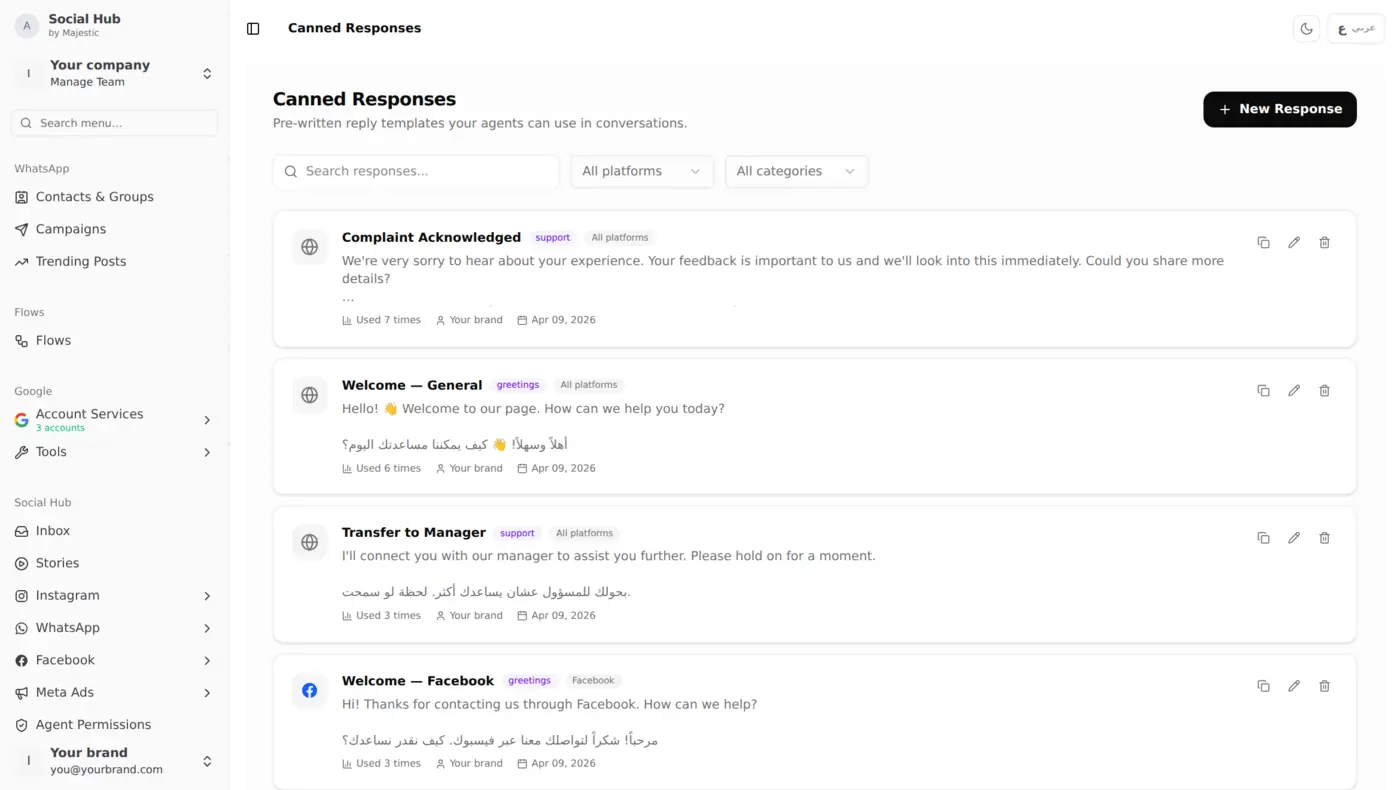
Between auto-replies (automatic) and macros (multi-step), canned responses fill the middle ground: pre-written replies your agents select manually:
Organizing Your Response Library
- Categories filter responses by type (greetings, complaints, delivery, pricing)
- Platform tags mark which responses work for which channels
- Arabic, English or both, write each response in the language your customers use
- Search, agents type a keyword and find the right response quickly
Best Practices
- Keep it human, templates should sound natural, not robotic
- Add a personal touch, address the customer by name before sending
- Update regularly, review response effectiveness monthly
- Train new agents, the response library IS your training manual
Measuring the Impact
After setting up auto-replies and macros, here's what changes:
- Faster first touch, common questions get an automatic answer straight away
- Agent capacity increases, each agent handles more conversations
- Consistency improves, every customer gets the same quality response
Getting Started
- Start with 3 auto-reply rules: First Message, Outside Hours, No Agents
- Create 5 macros for your most repetitive workflows
- Build a canned response library of 10-15 common replies
- Monitor and iterate: check which responses get the best customer reactions