
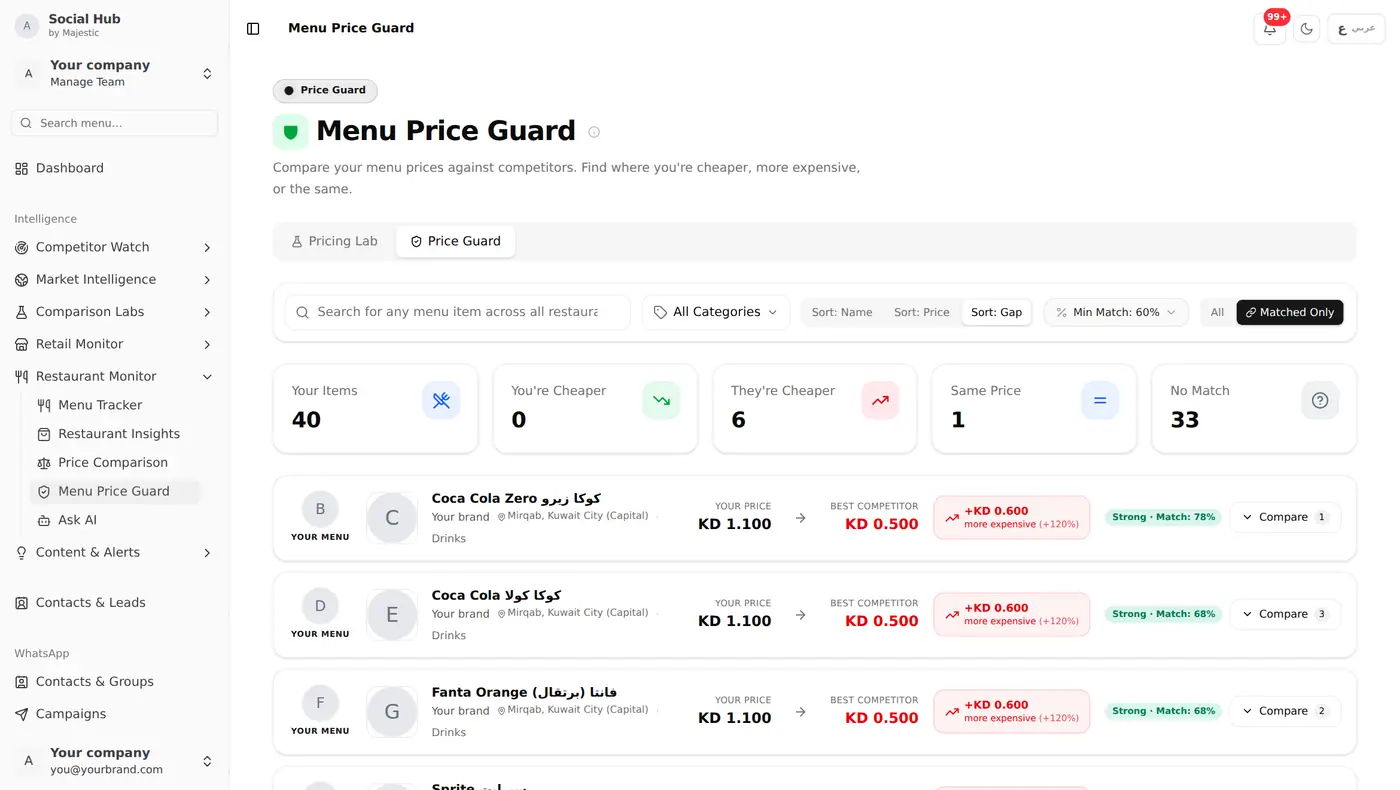
The Problem: Menu Prices Change Without Warning
In Kuwait's food delivery market, restaurant brands face a constant challenge: competitors change their Talabat menu prices, add new items, run limited-time offers, and adjust portion sizes: all without announcement.
If you're running a restaurant brand, the questions you can't currently answer are:
- When did your top competitor last change their burger combo price?
- Which competitors changed their Talabat menu prices this week?
- How does your menu pricing compare to the market average?
- Are any competitors undercutting you on your best-selling items?
Social Hub's restaurant menu monitoring platform helps you answer these automatically.
How Talabat Menu Monitoring Works
Social Hub tracks the public Talabat menu pages you add and refreshes them every day. For each restaurant, we capture:
- Full menu structure, categories and items
- Current prices for every item
- Item descriptions, ingredients, sizes, add-ons
- Price changes, with a price history for each item
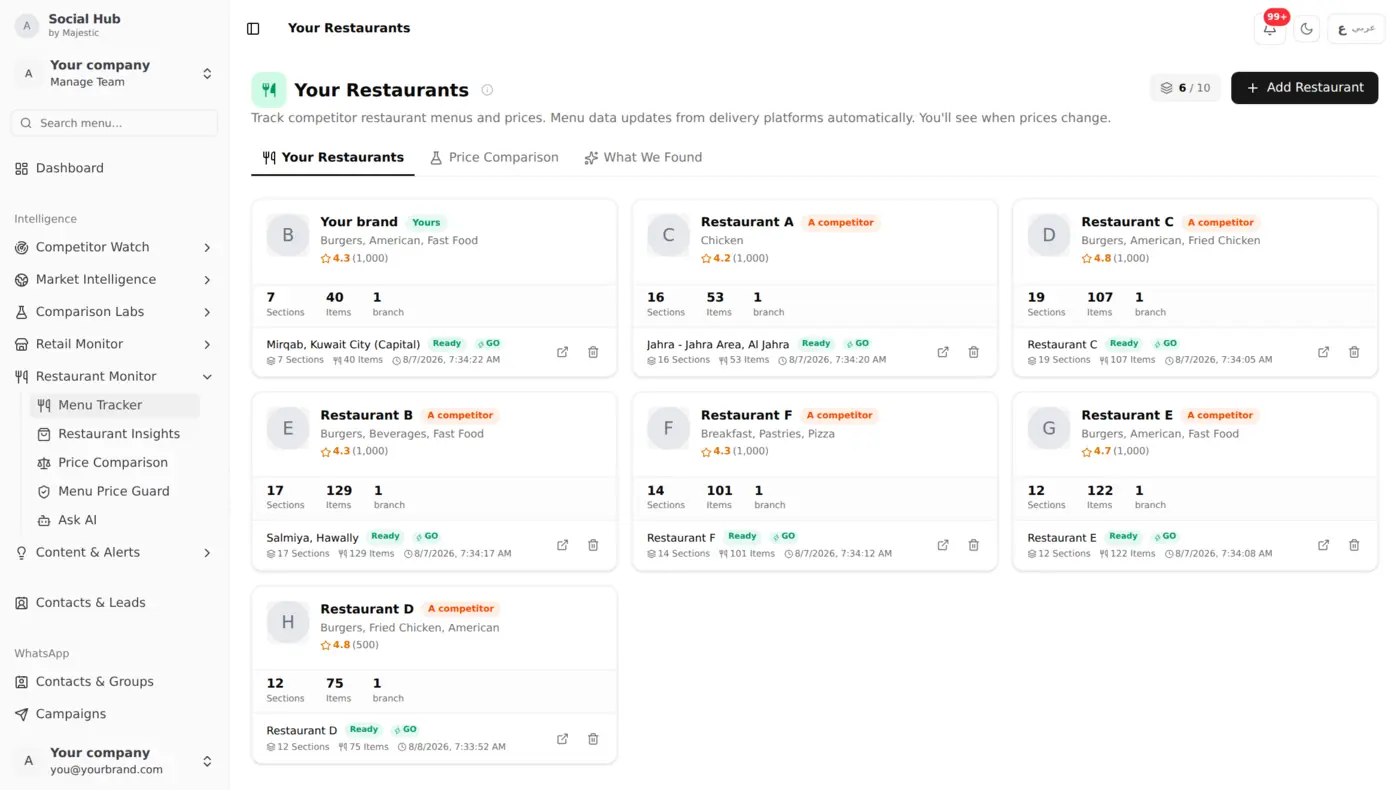
Setting Up Your First Monitor
Step 1: Add Your Restaurant
Go to your Social Hub dashboard and navigate to the Restaurant section. Add your Talabat restaurant URL. The system will scrape your full menu as the baseline.
Step 2: Add Competitors
Add competitor restaurant Talabat URLs. Start with your top 5-10 direct competitors. Social Hub will crawl their menus and store the complete item list with prices.
Step 3: Get Notified of Menu Updates
After each daily sync, Social Hub sends you an in-app notification with the number of menu price changes, so you know when it's worth taking a closer look.
Step 4: Use the Pricing Lab
The Pricing Lab is where the real intelligence happens. It lets you:
Compare item-by-item: See how your Cheese Burger prices compare to every competitor's Cheese Burger.
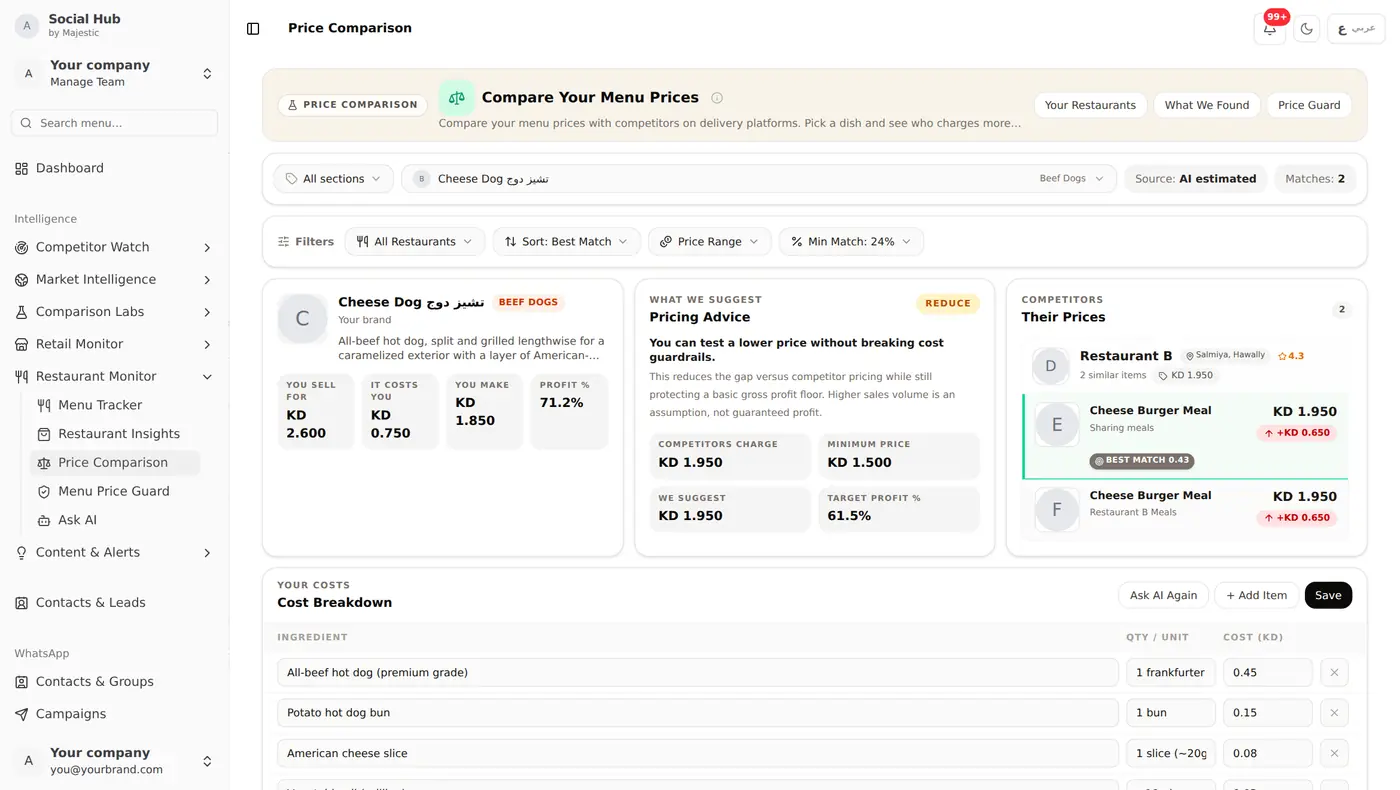
Track price history: See the latest price change for each item, and follow menu price updates over time in the Activity Timeline.
Spot opportunities: Find categories where competitors are priced significantly higher: that's your chance to attract their customers with better value.
What You Can Do with It
Watch competitor menu prices move day by day and decide whether to respond with an offer of your own. Look back through price history to see when competitors adjusted items ahead of a season. And before you enter a new area or segment, add the restaurants already there to see how their menus are priced.
Combining Menu Data with Social Intelligence
Menu monitoring is powerful alone, but it's even stronger combined with Social Hub's social media competitor tracking:
- A competitor posts a "new menu item" on Instagram → you check if it's already on their Talabat menu
- Social media engagement spikes on a competitor → check if they just launched a promotion
- Your AI assistant can analyze both menu trends and social activity for comprehensive competitive insights
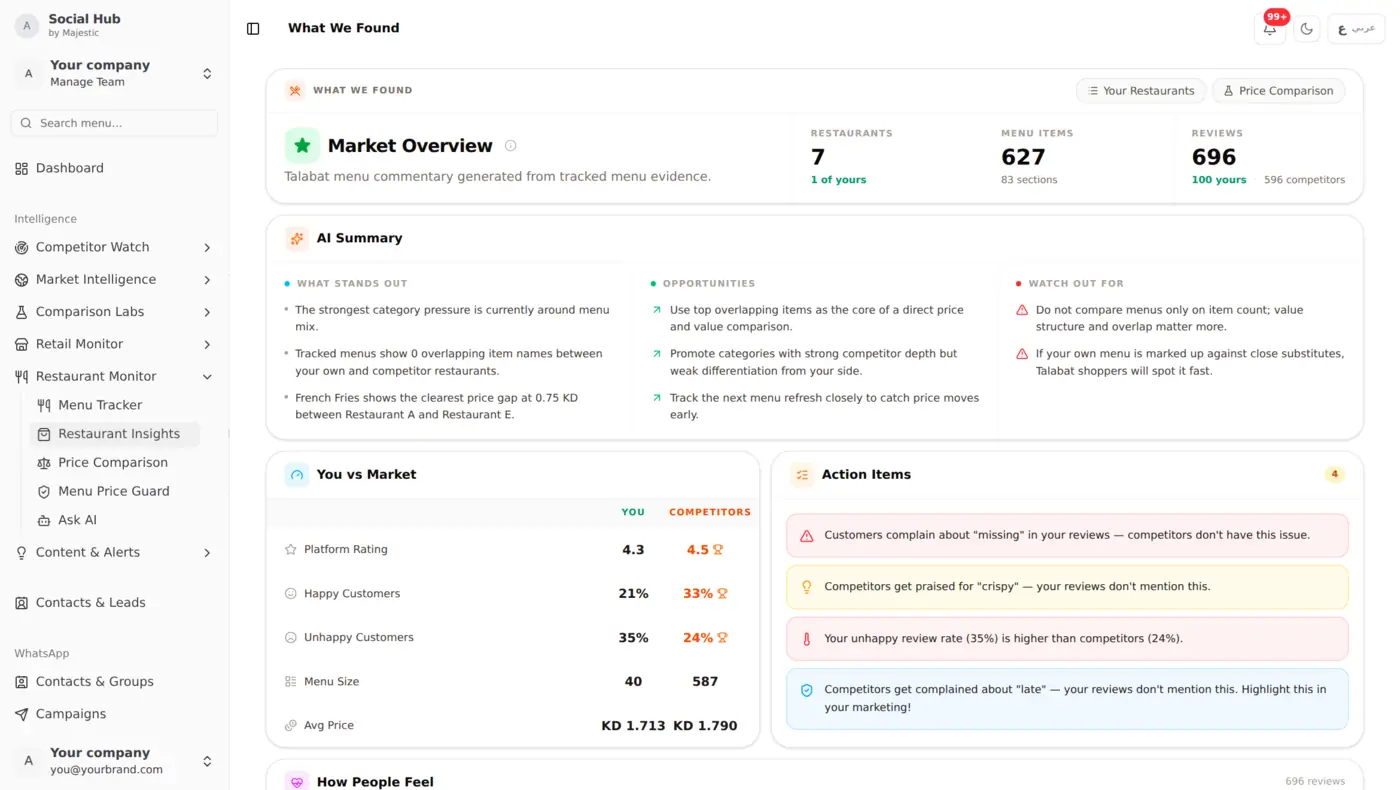
The AI Market Overview
Social Hub's AI Market Overview combines all restaurant intelligence into one dashboard:
- Market positioning: where your brand sits on the price/quality spectrum
- Menu gaps, categories and items competitors have that you don't
- Price gaps, how your prices compare with competitors on similar items
- Customer sentiment: what customers are saying about each brand
Getting Started
- Sign up at social-hub.net
- Navigate to the Restaurant section
- Add your Talabat restaurant URL
- Add 5-10 competitor URLs
- Wait for the first scrape cycle (usually within 24 hours)
From there, your tracked menus refresh every day, so competitor price changes show up in your next daily update.