
The Restaurant Pricing Problem in Kuwait
Here's the Restaurant Insights dashboard: offers, promotions and prices from your competitive set in one view:
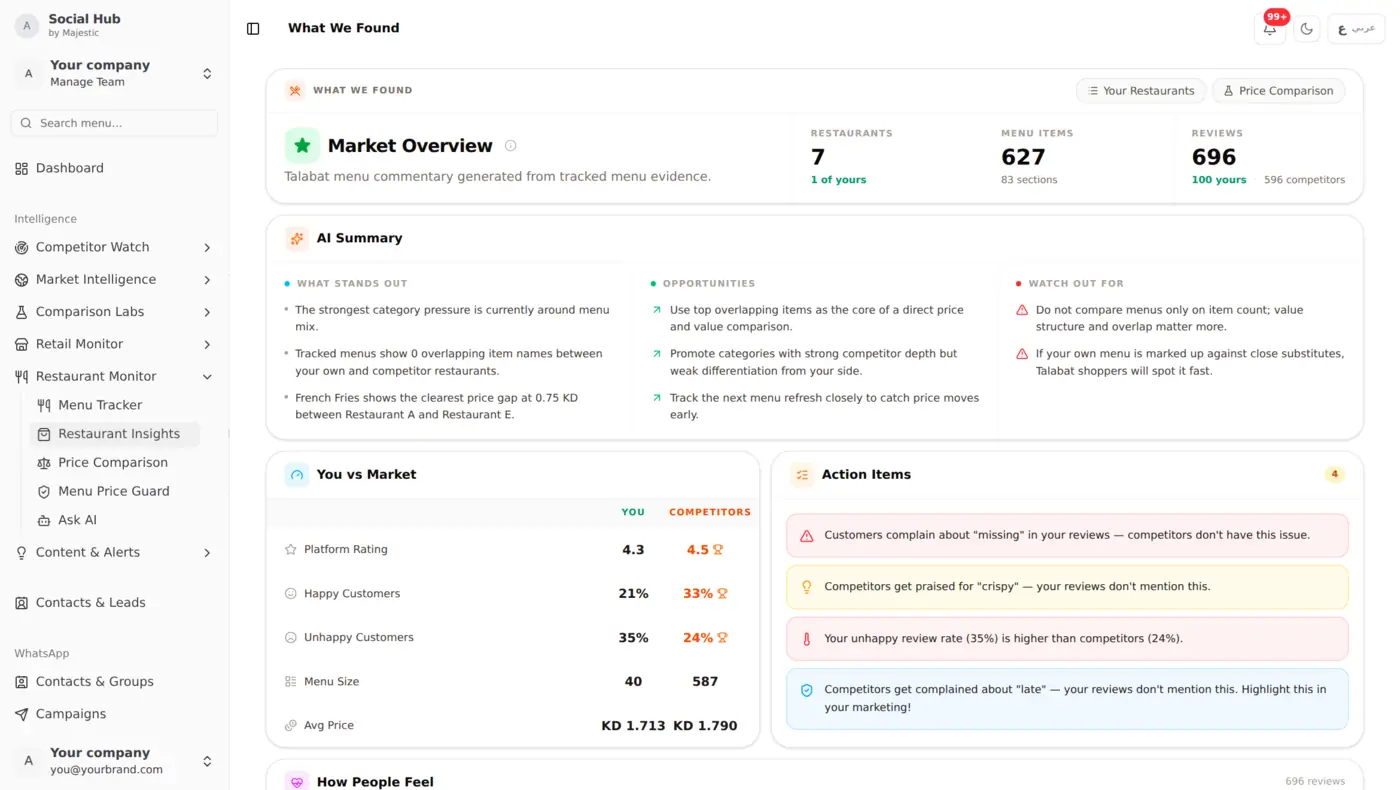
In Kuwait's food delivery market, pricing is a constant chess game. Your competitor raises their chicken sandwich by 100 fils? You need to know: not next week when a customer mentions it, but in your next daily update. That's exactly what restaurant menu monitoring delivers.
Talabat is where many Kuwait restaurants live online. Menus change often. Prices shift with ingredient costs. New items appear. Old ones disappear. Tracking this manually is a full-time job.
How Restaurant Intelligence Works
Automatic Menu Scraping
Social Hub tracks the public Talabat menu pages you add and captures each menu automatically. Here's the restaurant tracker:
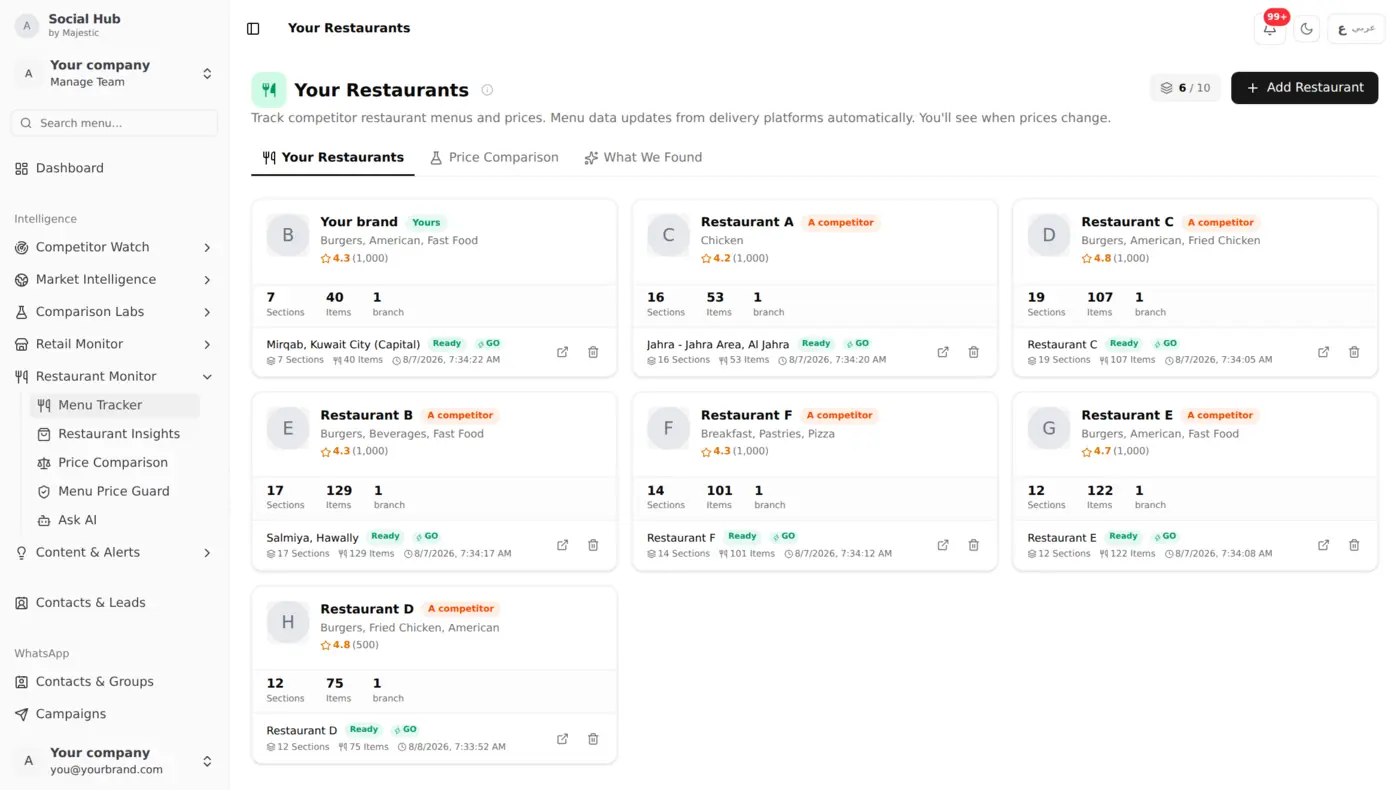
For each restaurant, the system captures:
- Every menu category
- Every item name (Arabic and English)
- Every price
- Item descriptions and modifiers
- Restaurant ratings and delivery info
Price History Tracking
Every time a menu is scraped, prices are compared against the previous version:
- Price increases flagged in red
- Price decreases flagged in green
After each sync you get an in-app notification with the number of price changes, and price history is kept for every item at every tracked restaurant.
How to Add a Restaurant
- Find the restaurant on Talabat
- Paste the Talabat URL into Social Hub
- The system collects the full menu automatically
- The menu refreshes every day
Menu Search
Search across ALL tracked restaurants at once:
- "chicken burger", see every restaurant's chicken burger and price
- "family meal", compare family deal pricing across competitors
- Search in Arabic or English
Restaurant Pricing Lab
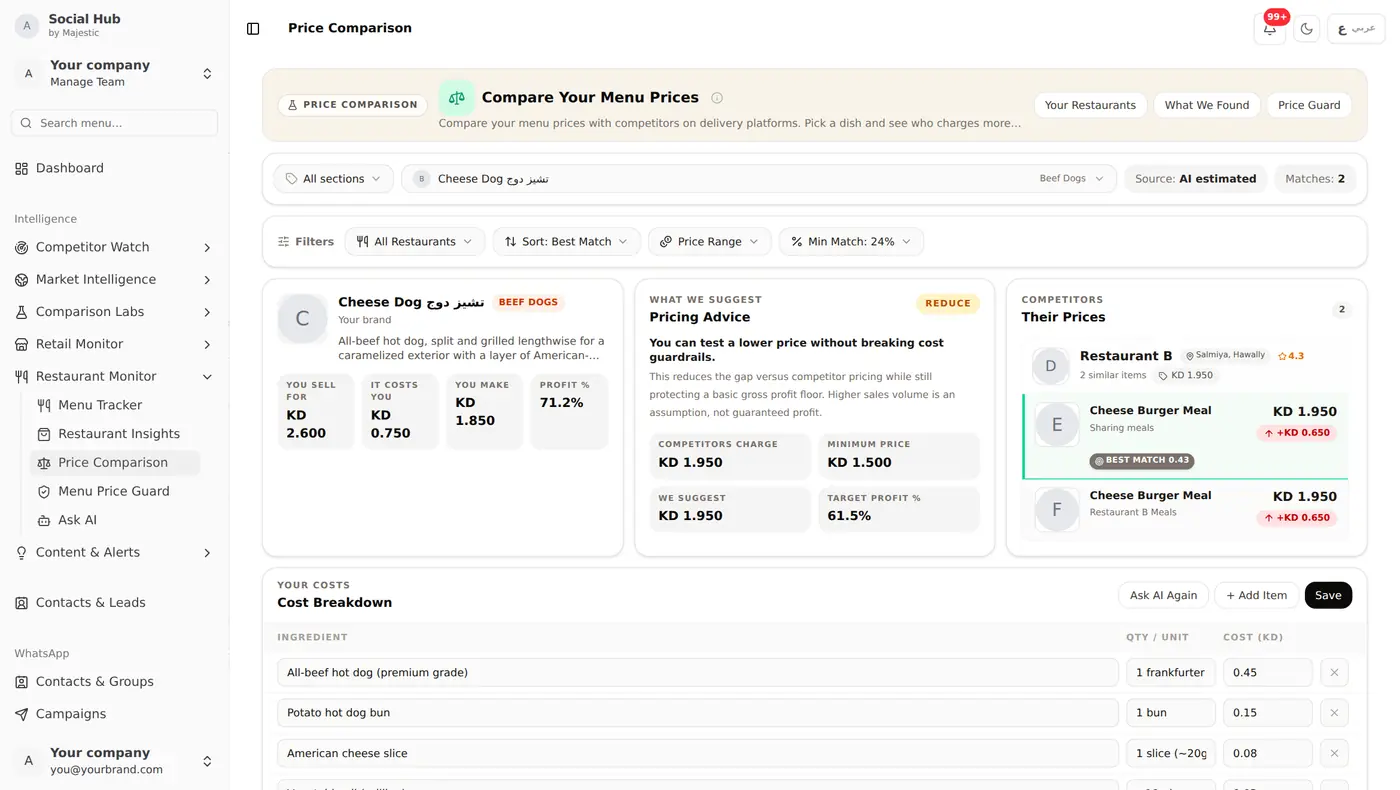
Beyond just tracking, Social Hub helps you optimize your own pricing. Here's the Price Comparison tool in action: comparing a Cheese Dog across competitors with cost breakdown and margin analysis:
Cost Calculator
Input your ingredient costs. The system calculates your true cost per item and a suggested selling price.
Margin Analysis
See which menu items are making money and which are losing. Compare your margins against competitor pricing to identify where you're leaving money on the table.
Menu Price Guard
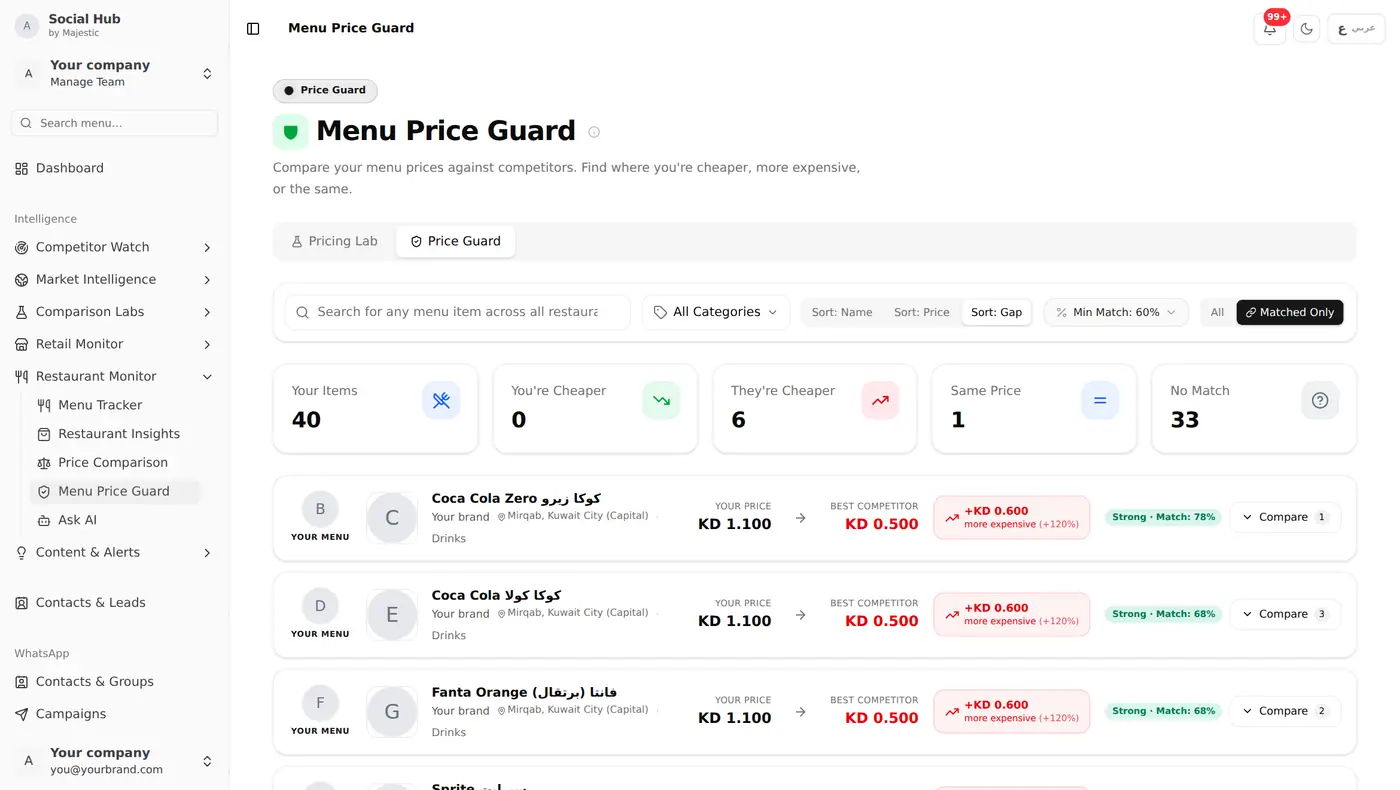
Monitor items across all your tracked restaurants: see where you're cheaper, where you're more expensive, and where there's no direct match:
AI Pricing Assistant
Ask AI questions about your restaurant data:
- "What's the average price for a beef burger across my competitors?"
- "Which category has the highest margin potential?"
- "How did my competitor's prices change this month?"
What You Can Do With It
Add the Talabat pages of the restaurants you compete with. After each daily sync, you get a notification with the number of price changes, and each menu shows which items went up or down. Use Menu Price Guard to see where you're cheaper or more expensive than your competitive set, and Pricing Lab to check a new price against your ingredient costs before you change your own menu.
What Restaurants Use This For
- Menu pricing decisions, know the market before setting prices
- Competitive response, react to competitor price changes as soon as they show up in your daily update
- Menu engineering, identify which items competitors push vs. hide
- New item research, see what competitors are testing before committing your own R&D
Getting Started
- Paste your competitors' Talabat URLs
- Add your own restaurant for self-tracking
- Wait for the first scrape cycle
- Open Restaurant Intelligence to see the full picture
Restaurant plans let you track 5, 15 or 40 restaurants, depending on the tier. A good start is your 3-5 closest competitors plus your own restaurant.
Keep Reading
- Restaurant Competitive Analysis: AI-powered market overview combining menu + social data
- Arabic Sentiment Analysis: understand what your customers really think in Arabic
- AI Vision Analysis: how we read competitor promotions automatically