Unified Inbox
WhatsApp, Instagram DMs, Instagram comments, and Facebook Messenger: all in one view. No more switching between apps or losing track of conversations.
Your team manages all customer conversations from one place. Assign agents, send WhatsApp broadcast campaigns, set auto-replies, and track response times with no more juggling between apps.
The problem
Your customers message on WhatsApp, comment on Instagram, and DM on Facebook: all at the same time. One person with one phone can't keep up. Messages get missed, customers wait hours, and your team has no idea who responded to what.
When you grow beyond 2-3 people handling messages, you need a shared inbox: not a shared phone. You need to assign conversations, track who responded, and make sure no customer falls through the cracks.
How it works
Link your WhatsApp Business API number, Instagram account, and Facebook page. Social Hub connects via official APIs: your data stays secure and compliant.
Invite agents, set permissions, create departments. Each team member gets their own login and sees only the conversations assigned to them, or everything, depending on their role.
Messages from all channels arrive in one inbox. Assign, reply, use canned responses, send media, and resolve conversations: all without leaving Social Hub.
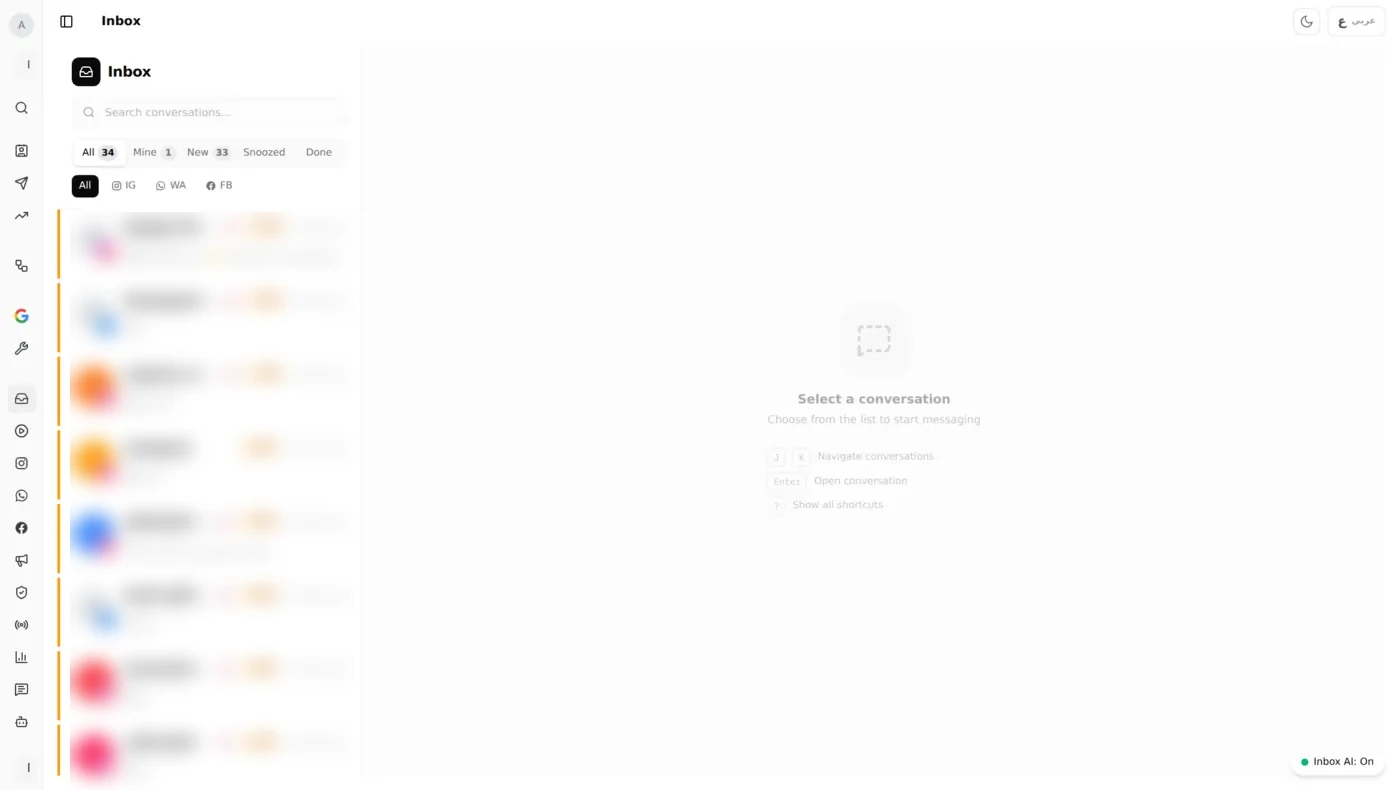
The Unified Inbox: WhatsApp, Instagram DMs, and Facebook Messenger in one view
Features
Built for Kuwait businesses that run customer communication across WhatsApp, Instagram, and Facebook: with Arabic support from day one.
WhatsApp, Instagram DMs, Instagram comments, and Facebook Messenger: all in one view. No more switching between apps or losing track of conversations.
Your entire team works from the same WhatsApp number. Assign conversations to specific agents, transfer chats between departments, and see who is handling what in real time.
Send WhatsApp messages to thousands of contacts using approved templates. Segment your audience, schedule sends, and track delivery and read rates from the campaign dashboard.
Set keyword-based auto-replies, after-hours away messages, and canned responses for common questions. Route conversations to the right agent automatically based on content or channel.
Track response times, resolution rates, and conversation volume per agent. See who is fastest, who handles the most chats, and where your team needs support.
Control what each agent can see and do. Set SLA targets for response time. Get alerts when conversations are waiting too long or approaching the deadline.
See it in action
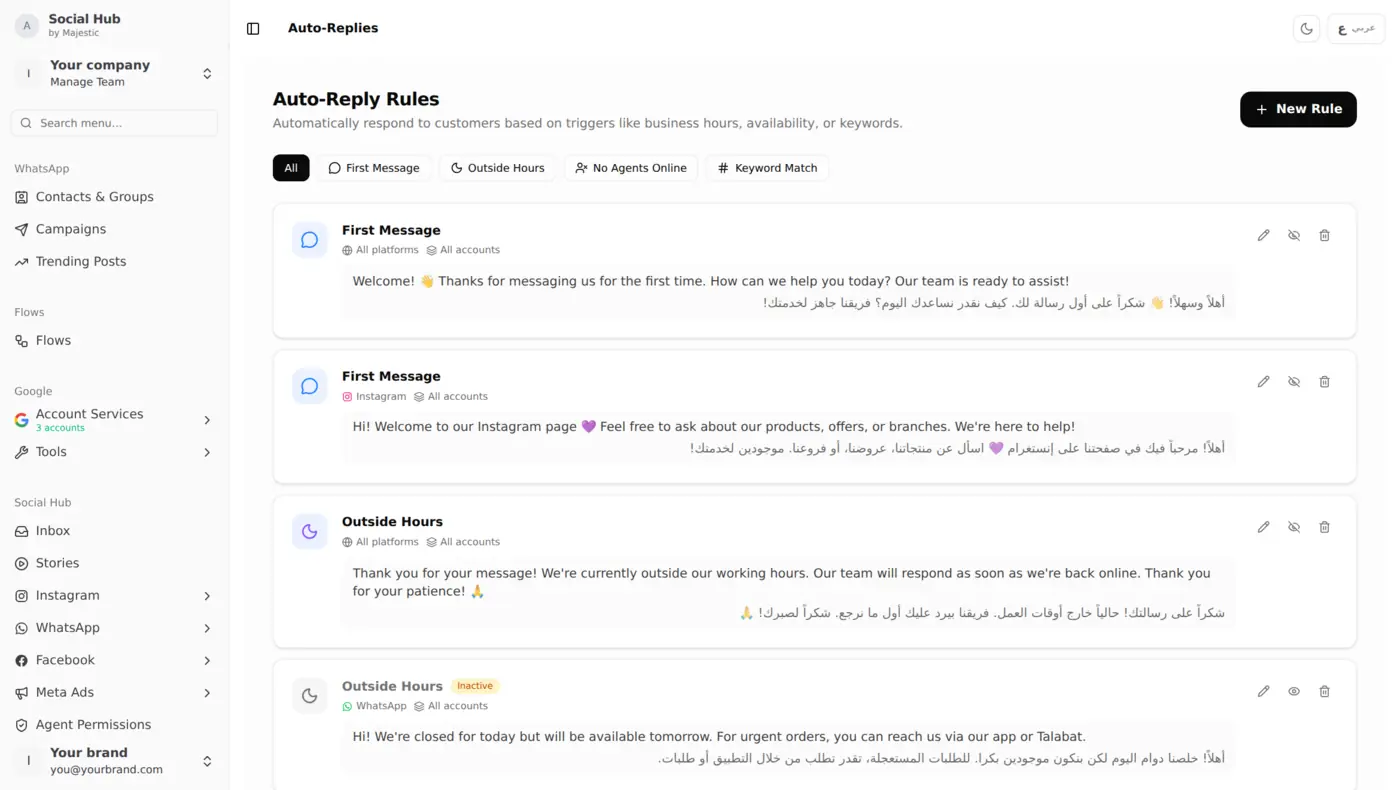
Auto-replies, respond instantly, even after hours
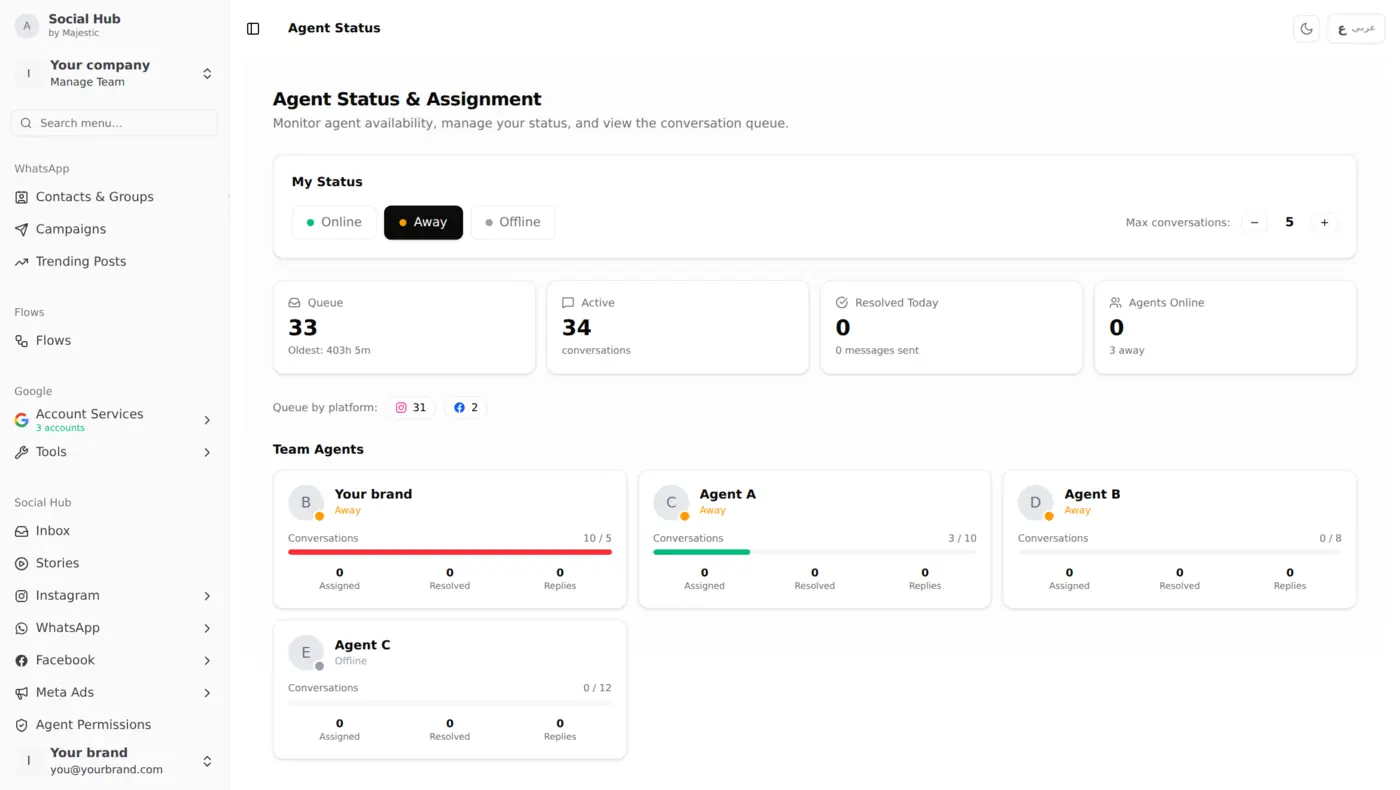
Agent status, monitor team availability in real time
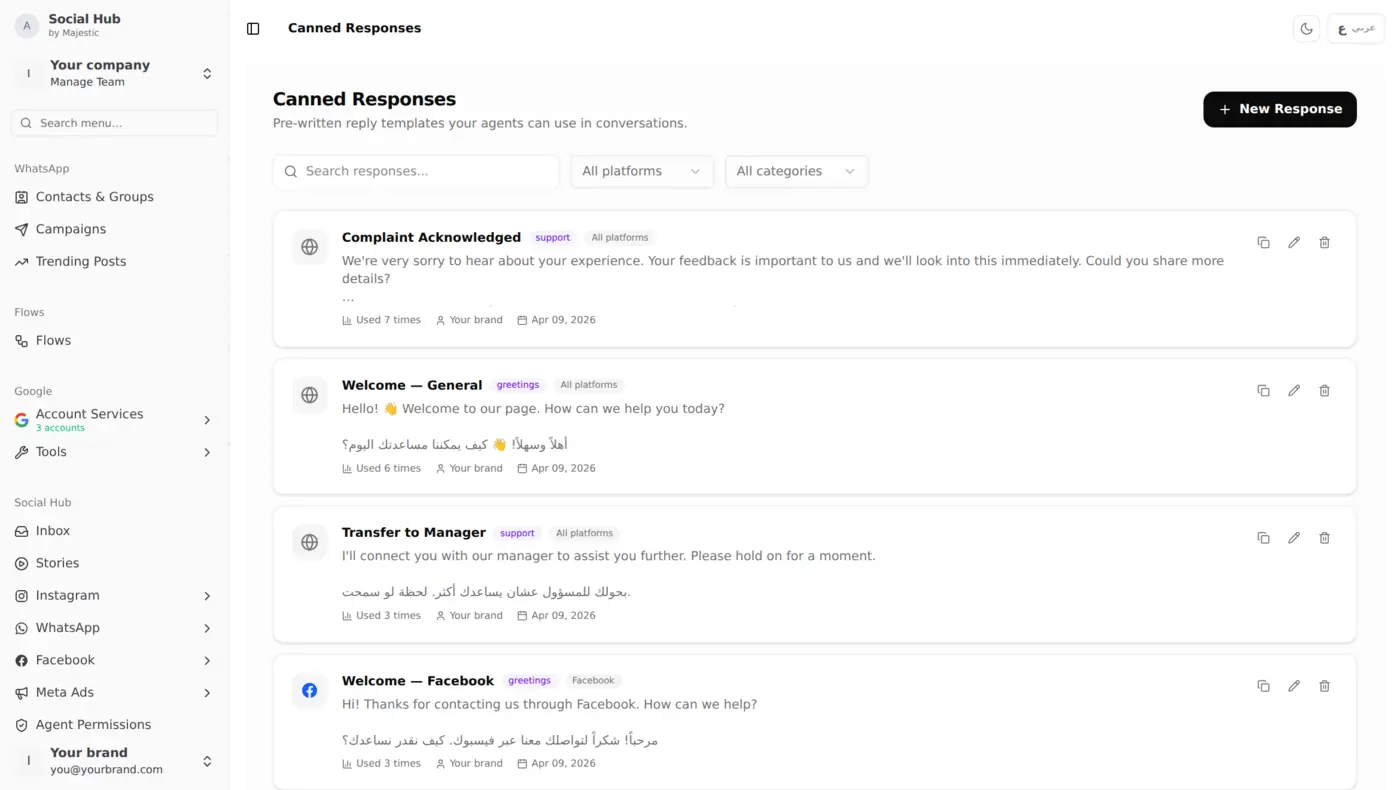
Quick replies, saved templates for common questions
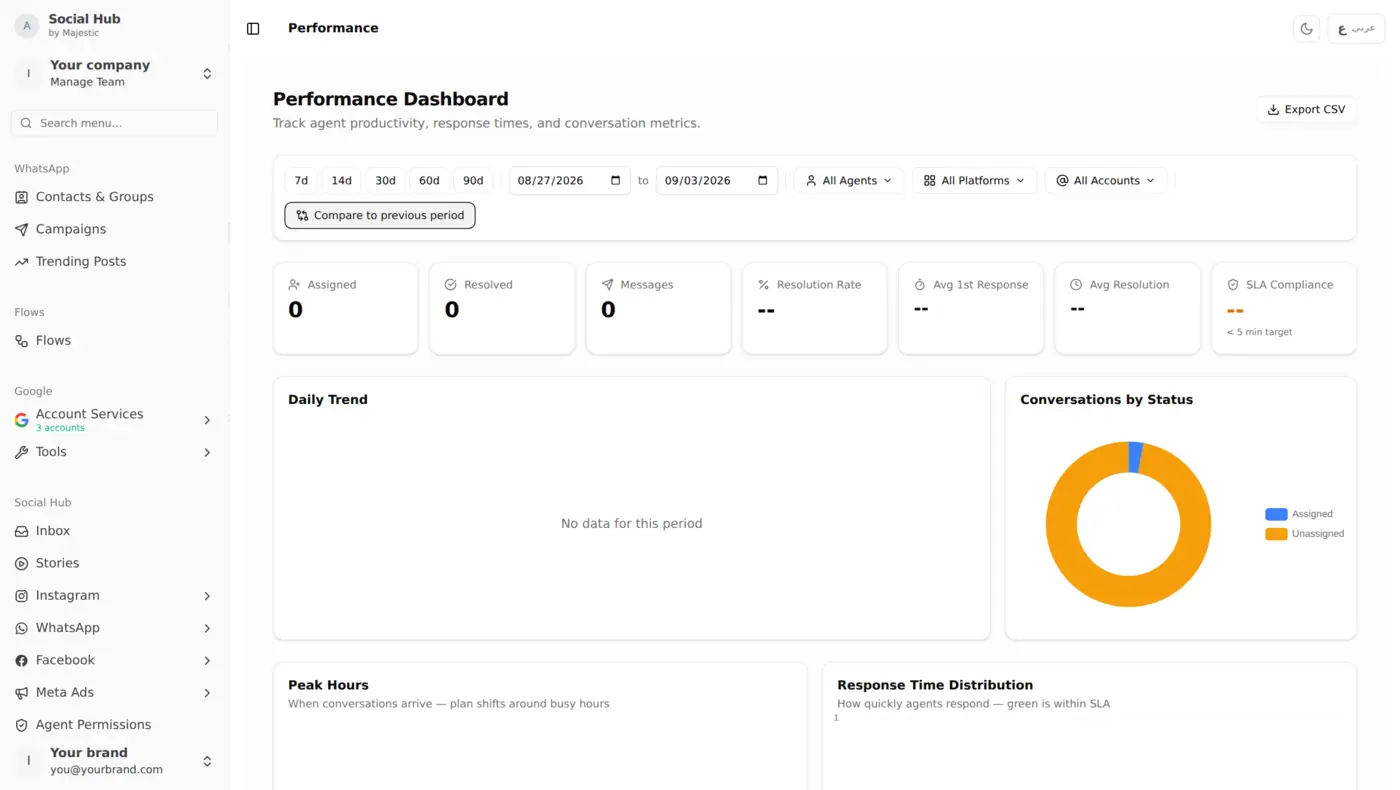
Performance, track response times and resolution rates
Who it's for
Handle product inquiries, order updates, and complaints across WhatsApp and Instagram. Assign conversations to sales or support teams. Use broadcast campaigns for new arrivals and flash sale announcements.
Take reservations, handle catering inquiries, and respond to reviews: all from one inbox. Set auto-replies for common questions like menu requests and opening hours. Send promotional campaigns for new dishes and seasonal offers.
Manage multiple client accounts from one workspace. Each brand gets its own inbox with separate agents and permissions. Switch between clients instantly with no logging in and out of different accounts.
From the blog
Join Kuwait businesses that manage WhatsApp, Instagram, and Facebook from one inbox. Set up in under 5 minutes: connect your channels and start responding.