The Multi-App Problem
If you're managing social media for a business in Kuwait, your morning probably looks like this:
- Open Instagram, check DMs and comment replies
- Open Facebook, check Messenger and page messages
- Open WhatsApp Business, reply to customer inquiries
- Open WhatsApp again, different number for sales team
- Repeat every 30 minutes
Each platform has its own interface, its own notification system, and its own conversation history. Messages get missed. Customers get frustrated. Response times suffer. A WhatsApp business inbox that unifies everything solves this.
How Social Hub's Unified Inbox Works
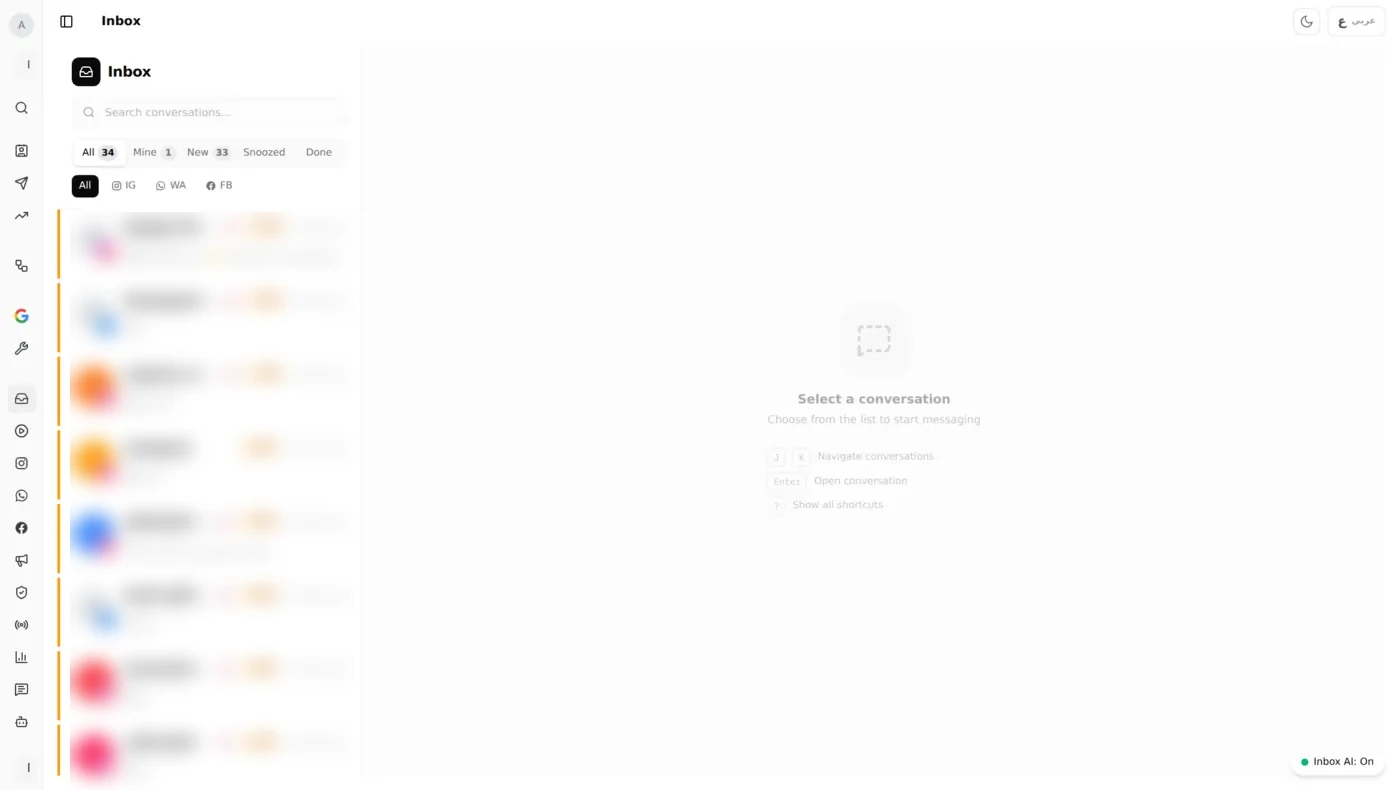
Social Hub connects all your social accounts into a single conversation stream. Here's how it looks: Instagram DMs, Facebook Messenger, and WhatsApp conversations all in one view:
One View, All Platforms
Every message from Instagram DMs, Facebook Messenger, and WhatsApp Business appears in a unified inbox. Each conversation shows:
- The platform icon (so you know where they wrote from)
- Full conversation history across that platform
- Customer profile (which you can merge if they contacted you on multiple channels)
Smart Assignment
Messages don't just pile up: they get distributed:
- Auto-assign by round-robin, to the least-busy agent, or to a specific agent
- Routing rules: by channel, account, branch or message type
- Priority flagging, mark important conversations so they stand out
- SLA tracking, response time targets per platform, with alerts when a target is missed
Reply Without Switching
Reply directly from the inbox: Instagram DMs, Facebook Messenger responses, and WhatsApp messages all send from the same interface. Attachments and images work natively for each platform.
AI-Powered Quick Actions
Right inside the conversation, you can:
- AI Suggest Reply: generate a contextual response based on the conversation history
- AI Summarize, get a quick summary of a long conversation
- AI Improve, refine your draft reply for tone and clarity
- Canned Responses: save and reuse template replies across all platforms
Macros for Repetitive Workflows
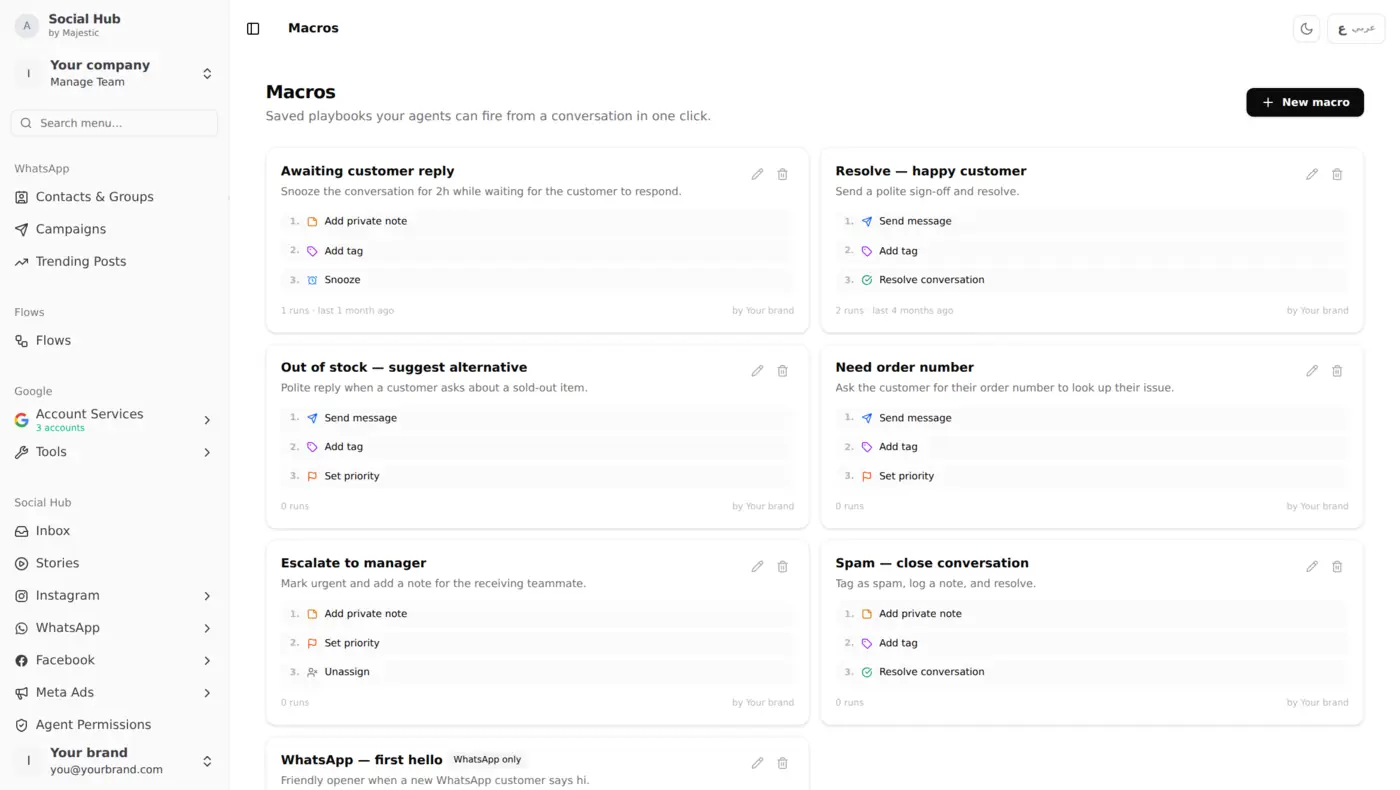
Create macros that combine multiple actions, assign to agent, apply tag, send message, add internal note, all in one click. Here's what macros look like:
Team Features That Matter
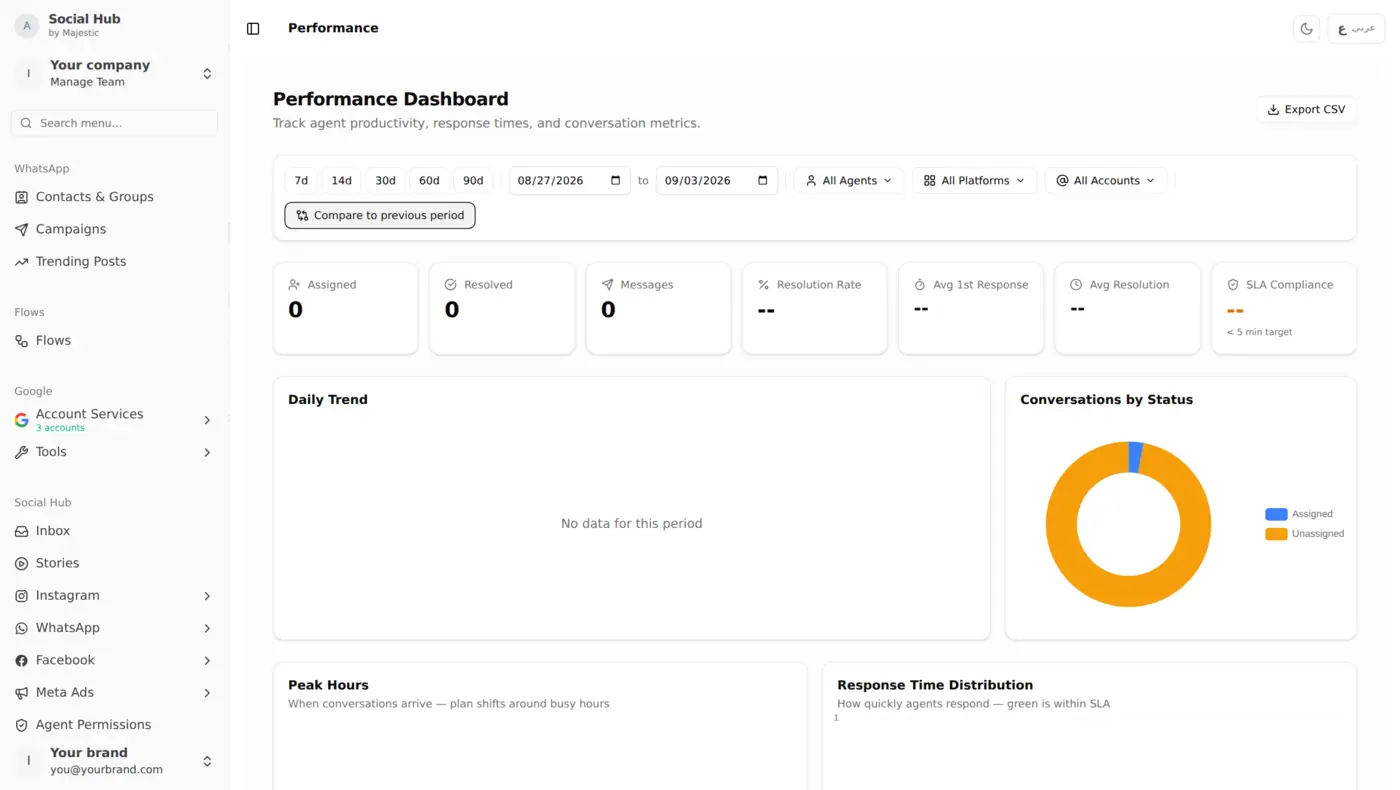
Agent Performance Dashboard
Monitor your entire team's workload and response quality:
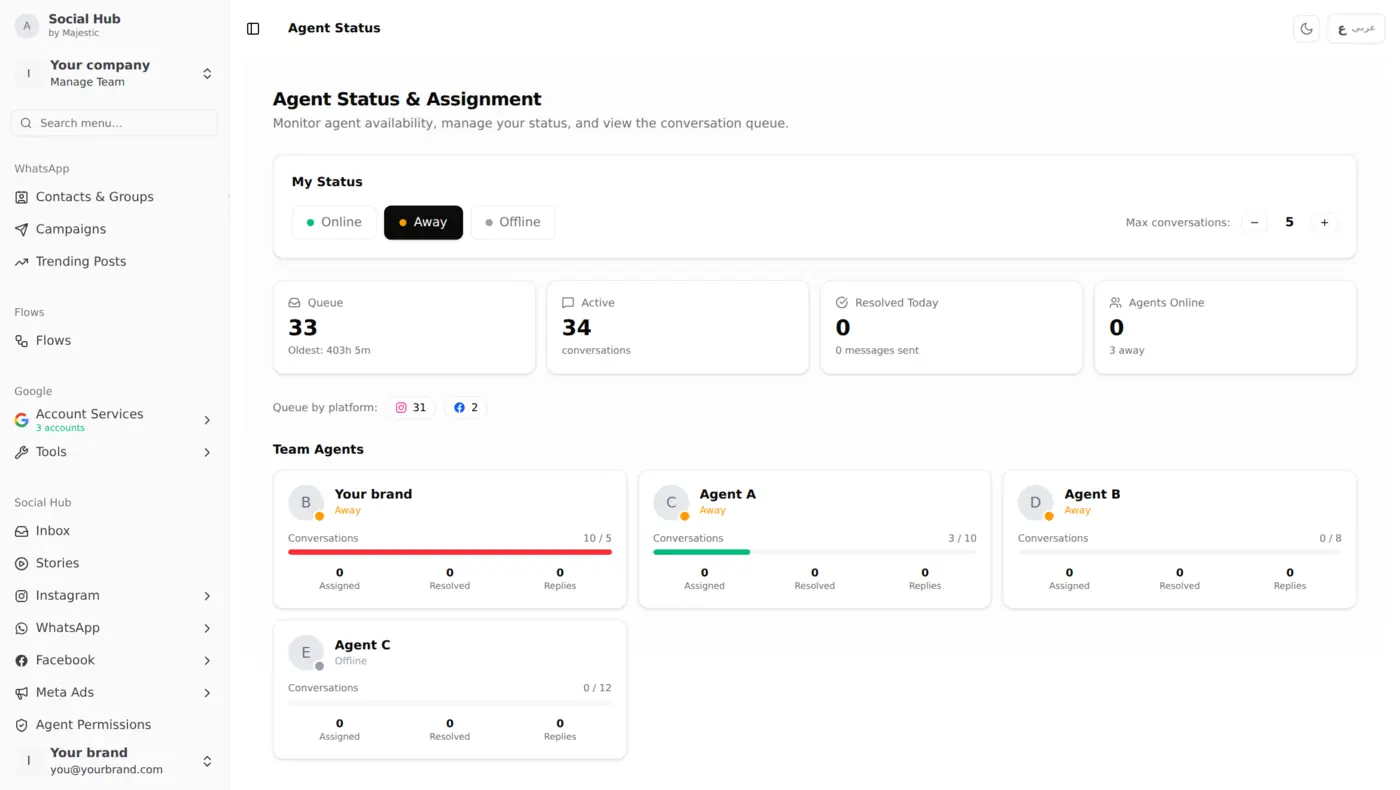
See at a glance:
- Response times per agent
- Resolution rates
- Active conversations
- SLA compliance
Internal Notes
Add context to any conversation that only your team can see. "This customer called twice last week about the same issue": without the customer ever seeing it.
Conversation Snooze
Not ready to handle something now? Snooze it for an hour, until tomorrow, or next week. It comes back to the top of your queue automatically.
Contact Merge
Customer messaged you on Instagram AND WhatsApp? Merge their profiles into one unified contact with full cross-platform history.
Why This Matters for Kuwait Businesses
WhatsApp is a go-to channel for customers in Kuwait. Instagram DMs are where younger customers reach out. Facebook Messenger remains strong for family-oriented businesses.
You need all three. Social Hub lets you manage all three without the chaos.
Simple Guided Setup
- Connect your Instagram Business account
- Connect your Facebook Page
- Connect your WhatsApp Business number
- Invite your team members
- Set up your SLA targets and auto-assignment rules
No coding, no API setup, no IT department required.
Keep Reading
- Auto-Reply Rules & Macros: automate repetitive responses across all platforms
- Team Performance Dashboard: track agent response times and SLA compliance
- Instagram Comment Moderation: manage comments at scale with AI analysis